2. Run a flow
Pick a flow on the left, press ▶ Run, describe the task and start it.
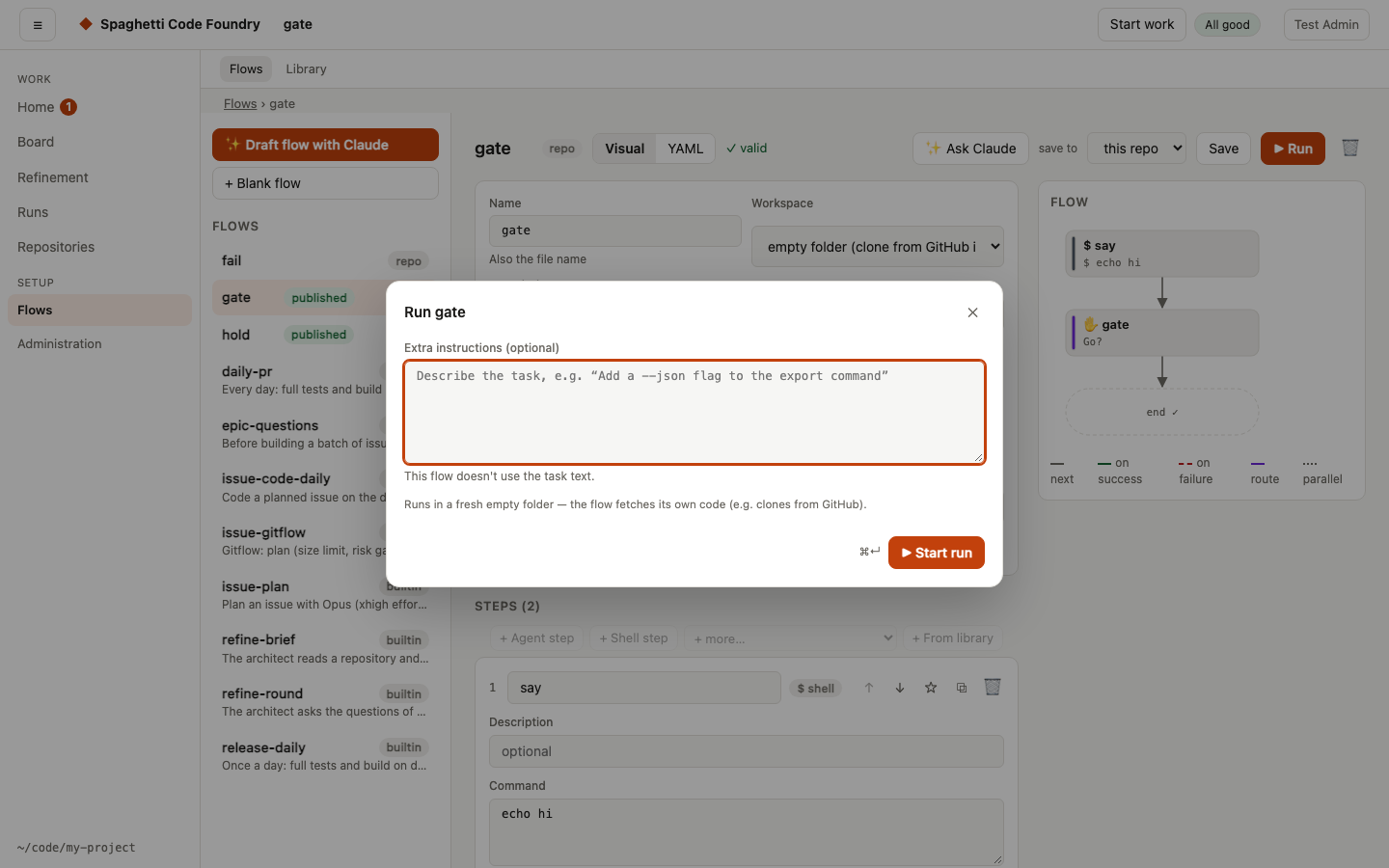
- Task — what you want done, in plain language. Flows use it in their prompts.
- Repository — the local git repository to work on.
- Variables — settings the flow exposes, e.g.
test_cmd. Leaveautoto let the Foundry detect the test command (npm/pnpm/yarn, pytest, Go, Cargo, Gradle, Maven, Make).
Your checkout is never touched. Depending on the flow's workspace setting, a run works in:
| Workspace | Where the run works |
|---|---|
worktree (default) | A new git worktree on a factory/<run-id> branch of your repository |
empty | An empty folder; the flow clones what it needs (used by the GitHub flows) |
inplace | Directly in the repository — only for flows you trust |
When a run finishes, its branch stays in your repository. Review it, merge it, or delete it.
Review before start#
On Start work, the main button is Review. It runs the same check for required fields as before. If all is filled in, it shows a review page instead of sending anything.
- What you see. The flow title, the repository as
owner/name(or "No repository" when none is sent), the full task text, and every value that will be sent. A value the flow fixes says "set by the flow". If the administrator set the run to start as you, a "Start as" row says so. - Notes. Short safety notes appear when they apply: the repository connection is "Failed" or "Not tested yet"; the task is empty for a flow that uses it. One fixed note is always there: the work runs on the server against this repository and can be cancelled from the run page.
- Start and Back. Start sends exactly what the page shows, once, even if you press it twice. Back returns to the form with every value in place. If the server refuses or the start fails, you return to the form with the server's sentence in the alert and nothing lost.
- Focus. Focus moves to the review heading when the page opens, and back to Review when you press Back.
- Your draft is kept. The flow, repository, task and input values stay in the page's memory while you go to another page and come back to Start work. The form then shows "Your draft from before". The draft is cleared after a successful start and by Clear. It is never written to disk or to browser storage, so it is gone when you reload or close the tab, and another account never sees it. If the kept flow or repository is no longer offered, the form uses the default; the task text stays.
- Read-only preview. The preview (
?as=) never reads or writes a draft and has no Review, Start or Clear.
Start work as an admin#
An admin can also start a run the way a user does. Open Start work (#/start, before Runs). The page asks first only for what is required, each marked "(required)": the repository (when the flow asks for one), the task, and every required input. With one published flow there is no flow choice; with several, a picker shows each flow's title and description. Optional inputs and fixed values are in a closed More options line that says how many there are; it is not shown when there are none, and it opens by itself when the server refuses the start. The repository shows "Connected", "Not tested yet" or "Failed"; a failed one has a note with a link to My repositories. Add repository still works. If no flow is published you see "No published flows yet. Publish one in the flow editor." After Start you land on the run page. The run is yours and shows in Runs with you as owner.
The same rules as for a user apply: only a published flow, only your own repositories, and no changes to the flow or its variables. The ▶ Run button of the flow editor works as before.